Multimedia tour maker
Text, photos, video, audio and games per stop, in every language you need. Visitors open the tour on their own smartphone.
With infotainment.guide your own team builds a digital multimedia tour in the browser: no developer, no app store, no devices to buy. Want a classic audio tour? That works too: audio is one of the building blocks, not the limit. Every change is live the moment you save it.
See a live example
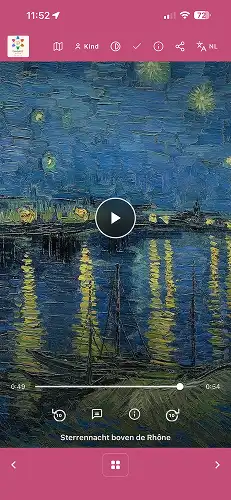
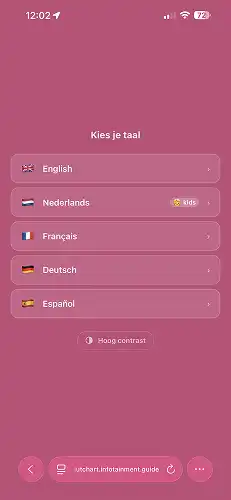
Step by step
Create a tour and add a stop (POI) for each object or room: a title, text, photos and video. All in the management environment, in your browser.
Record audio yourself, upload existing recordings or have the engine voice it. Add a quiz or a game where it fits. Visitors who prefer to read get the text as a transcript.
Add as many languages as you need, each with its own text, audio and video. Languages are included and never billed separately.
Choose how visitors open the stops: tiles, a list, QR codes, NFC tags or GPS. Put the tour QR code (included) at the entrance, on tickets or posters. Later changes go live as soon as you save.
More than audio
An audio tour tells. A multimedia tour also shows and lets visitors take part. You decide per stop which building blocks to use: a short text for a small object, a full set of photos, video and a podcast for the highlight of your collection.
A readable story per stop with as many photos as you like: details, the back of a painting, the object in its original setting.
Show what a visitor cannot see on the spot: a restoration, an interview with the artist, a machine in motion. Per language if you need to.
Narration per stop, or a lively conversation between two to four speakers, with a transcript to read along. On its own, this already makes a complete audio tour.
Quiz questions, memory, hangman, match and put-in-order games turn looking into doing, with trophies and a real reward at the end.
Visitors ask their own question about a work and get an answer in their own language within seconds, based on your information.
The same tour with its own texts, audio and games for children, or stops you only show to adults.
Multilingual
Visitors choose their language with one tap and get the whole tour in it: text, audio and, where you add them, videos per language. There is no separate device per language and no fee per language: a tour in ten languages costs the same as a tour in one.
Children can get their own version of the same tour, with a separate text and audio per language. Parents create a QR code and PIN for each child, so children take part on their own phone.

For every visitor
Every stop combines image, audio and a readable transcript, so visitors choose what suits them, also when they cannot use audio.
Bring your own device (BYOD): visitors use the phone they already know, with their own earphones. Nothing to hand out or disinfect.
The tour keeps running where Wi-Fi and mobile signal drop out, in a basement as much as in a church.
Indoors visitors tap a tile, pick from a list, scan a QR code or touch an NFC tag. Outdoors, on a heritage site or a city walk, GPS shows when a stop is near. Read more about the ways to open a stop.
Do it yourself, or not
We can enter your tour for you: texts, photos, video, audio and translations, each in the right place, for a fixed €750 per 50 POI's. For a temporary exhibition the Midgard package already includes this. Looking for a professional voice? GuideXpresse helps you find a voice-over.
Would you rather hand out devices than use the visitor's own phone? GuideXpresse also rents and sells audio guide devices.
Curious how the visitor experiences it? Read more about the museum app.
Pricing is public and you can start the same day. Valhalla is free to start, with €0,50 per visitor (minimum €750 per contract year).
See pricing & get started